Claude Code Routines: Scheduled Cloud Agents, Sub-Routines and Co-Routines
Run Claude Code on a schedule, from an API call or on GitHub events, with no laptop and no server. The five-minute guide.
 Balinder WaliaSeptember 25, 20263 min read
Claude Code no longer needs you at the keyboard. Routines run saved agent tasks on Anthropic's cloud on a schedule, from an API call or when something happens on GitHub. Here is what they are, how to set one up, and two patterns we call sub-routines and co-routines. For the full guide, read the long article.
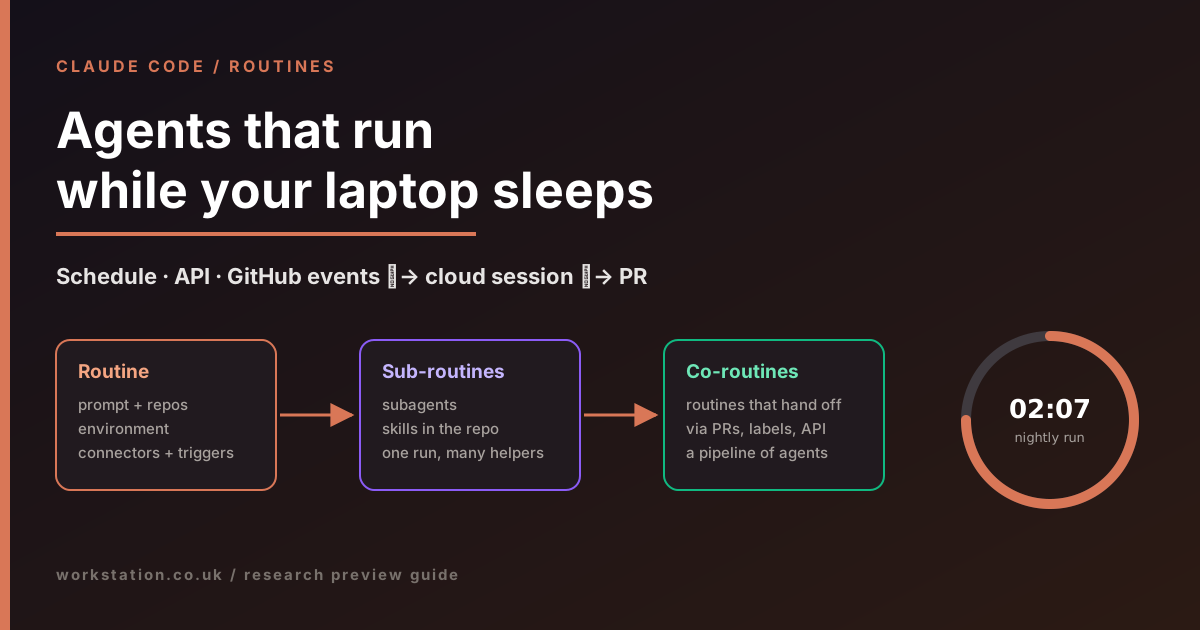
Three ways to start a routine
- Schedule: hourly, daily, weekdays, weekly or a one-off time, entered in your local time zone. Custom cron is available via
/schedule update, with a minimum interval of one hour. - API: a per-routine HTTPS endpoint with its own bearer token. Your alerting tool or deployment pipeline POSTs to it, optionally with context text. That text arrives labelled as untrusted, so a leaked token cannot rewrite the routine's instructions.
- GitHub: pull request or release events, filtered by branch, label, author, draft or merged state.
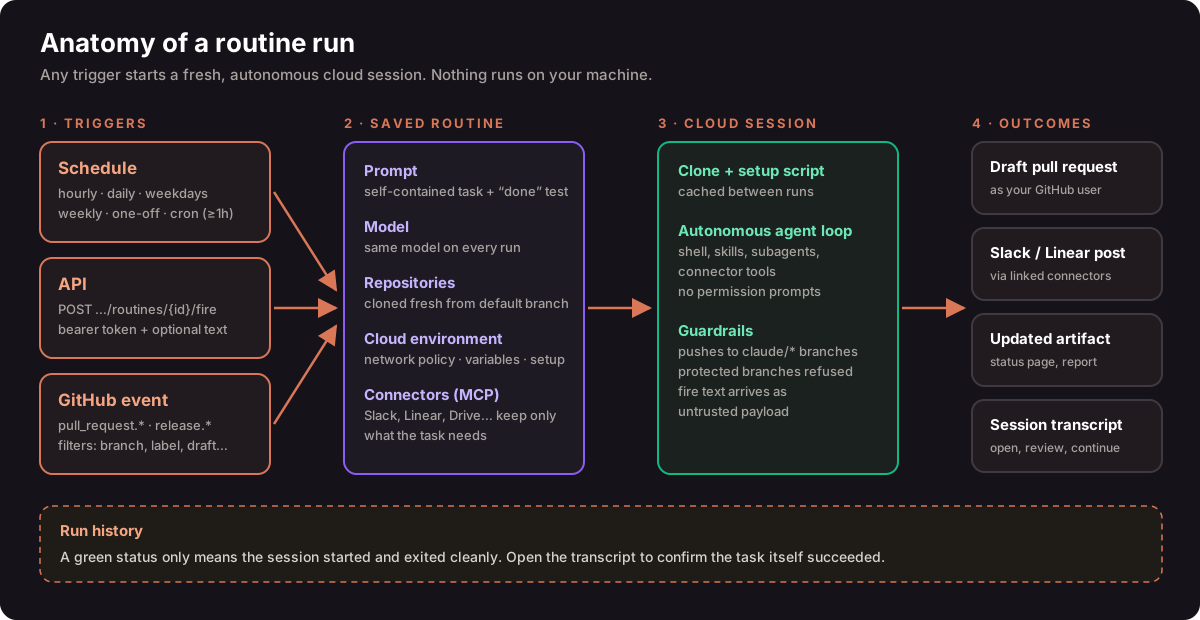
Set one up in two minutes
- Open
claude.ai/code/routinesand choose New routine, or type/schedulein the Claude Code CLI. - Write a self-contained prompt: scope, allowed actions, output destination and what to do when there is nothing to do.
- Pick repositories and an environment. Remove connectors the task does not need, because all of them are included by default.
- Add a trigger, choose Run now to test, then read the transcript. A green badge only means the session ran, not that the task succeeded.
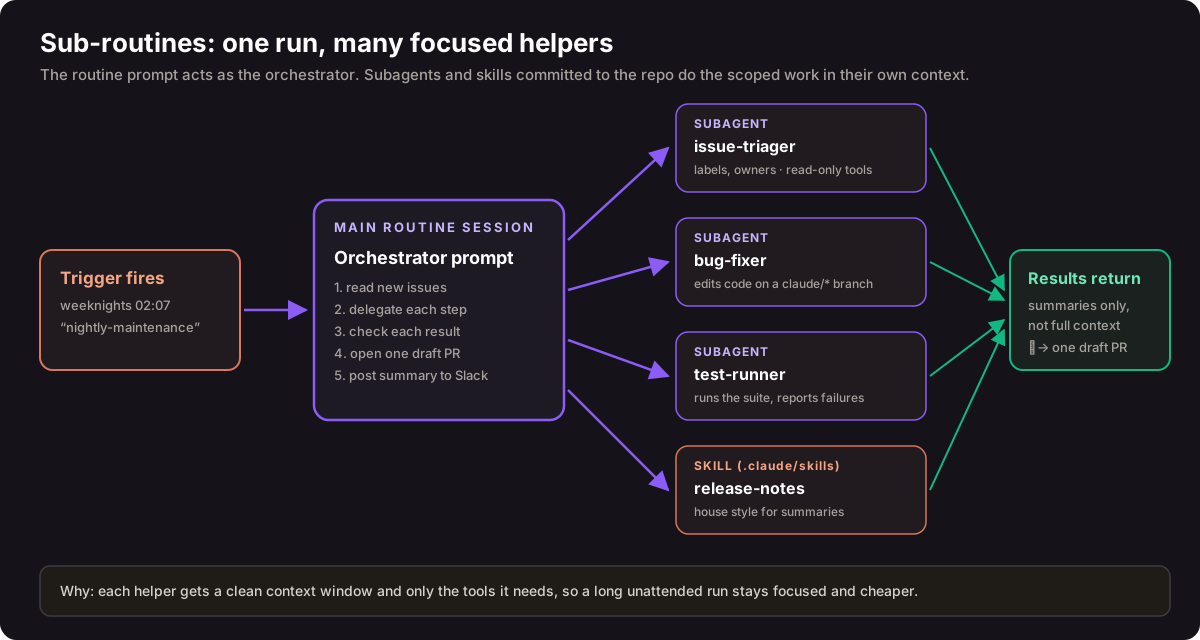
Sub-routines: one run, many helpers
This is our name for a pattern, not an Anthropic feature. The routine's prompt orchestrates, and it hands each step to a subagent (.claude/agents/) or a skill committed to the repository. Each helper gets its own context window and only the tools it needs, which keeps long unattended runs focused, cheaper and safer.
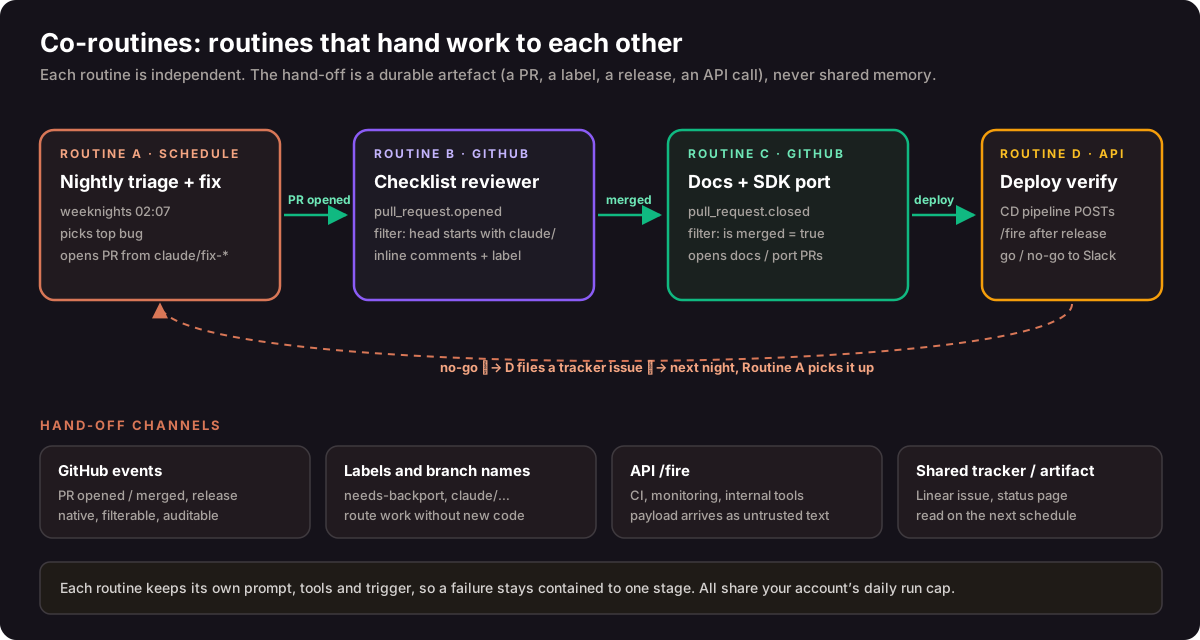
Co-routines: routines that hand off work
Routines cannot call each other directly, but they can cooperate through durable artefacts. For example, a nightly routine opens a draft PR, a GitHub-triggered routine reviews it, a human merges it, a merge-triggered routine updates the docs, and your deployment pipeline calls a verification routine. Use filters so no routine fires on its own output, and keep a human merge gate in the chain.
Limits worth knowing
- Daily run caps at launch were 5 on Pro, 15 on Max and 25 on Team and Enterprise, on top of normal subscription usage. One-off runs do not count.
- Routines act as you. Commits, PRs and Slack messages carry your identity. Claude pushes only to
claude/branches unless told otherwise, and never to protected ones. - Need minute-level polling or local files? Use
/loopor Desktop scheduled tasks instead.
Read next: the complete guide covers API payload security, prompt templates, subagent examples, comparisons with GitHub Actions, n8n and Trigger.dev, and a governance checklist. Sources: Anthropic announcement · Claude Code docs.